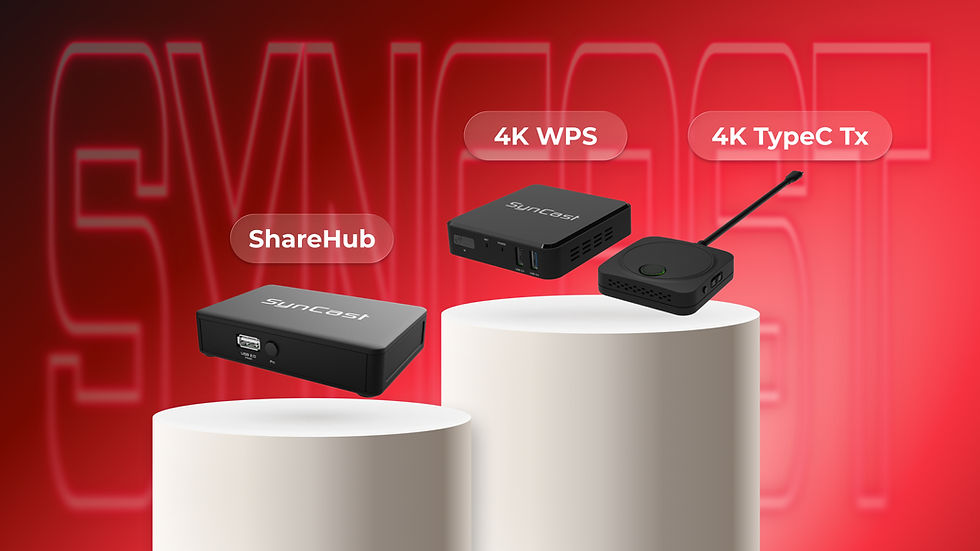
From Huddle Pods to Boardrooms: The 3-Phase Guide to Scaling Your Office AV

Updated: Jul 31

In the modern hybrid workplace, meetings don't just happen in formal boardrooms. They happen in quick 10-minute huddles, quiet private focus pods, and interactive training spaces. To keep teams moving fast, businesses need audiovisual (AV) tools that just work—instantly, without training, and without a tangle of cables on the table.
At Centron Design, we engineered our SynCast ecosystem specifically to scale with this physical growth. Instead of buying a completely new system every time you expand your office, you can start small and add modular upgrades naturally as your collaboration needs evolve.
Here is how to design your workspace across three clear phases of growth.
Phase 1: Small Huddle Rooms & Private Pods (True Plug-and-Play)

For quick, zero-friction setups in smaller workspaces or phone-booth pods, the goal is simple: get a laptop screen onto the wall display immediately, with zero setup and no software drivers to install.
The Setup: SynCast CT1300 & CT1302
Both of these compact wireless streaming units deliver low-latency 1080p casting using the secure, hardware-native SynCast protocol. They are completely driverless and support USB-C PD passthrough charging—meaning your laptop stays powered directly through the casting transmitter, so nobody’s battery dies mid-presentation.
SynCast Nano CT1300: The ultra-compact, portable single-display champion. Perfect for focus rooms with one wall monitor.
SynCast Nano Duo CT1302 (Dual HDMI Output): Designed for split-desk or dual-monitor layouts. A single CT1302 unit can cast a single source to two independent displays simultaneously, instantly doubling your visual real estate for collaborative design reviews or detailed spreadsheets.
Phase 2: Medium Classrooms & Training Rooms (Wireless Broadcasting & Remote KVM)

As spaces expand into medium-sized training rooms, computer labs, or team classrooms, standard point-to-point wireless sharing reaches its limits. You need to broadcast a presentation to multiple local devices simultaneously, or control target computers remotely across the local network.
The Setup: SynCast Sharehub CT1278
The SynCast Sharehub CT1278 acts as a powerful bridge, taking your local HDMI signals and routing them over your office's local network (LAN) using a robust TS-over-TCP/IP streaming protocol. This unlocks advanced network-enabled wireless and remote control capabilities:
1-to-Many Wireless Broadcasting:
The CT1278 takes an incoming HDMI feed and wirelessly broadcasts it over your office Wi-Fi network to up to 16 concurrent screens (laptops, tablets, or local screens) using the native, agent-free SynRemote app. This is ideal for a teacher or presenter sharing content directly to small student workgroups.
Network KVM & Remote Pointer Control:
Beyond just showing a screen, the CT1278 allows dual USB HID devices (like a physical mouse or a touch panel) to act as back-control over IP. This gives IT teams the ability to manage or troubleshoot target computers remotely, and lets instructors interact directly with Windows, Mac, or Android displays from anywhere in the space.
Zero-Latency Loop:
It features a physical, built-in HDMI pass-through loop, ensuring your local primary monitor stays perfectly synced in real-time while broadcasting.
Phase 3: Interactive Hybrid Boardrooms (Smart BYOM & Enterprise Collaboration)
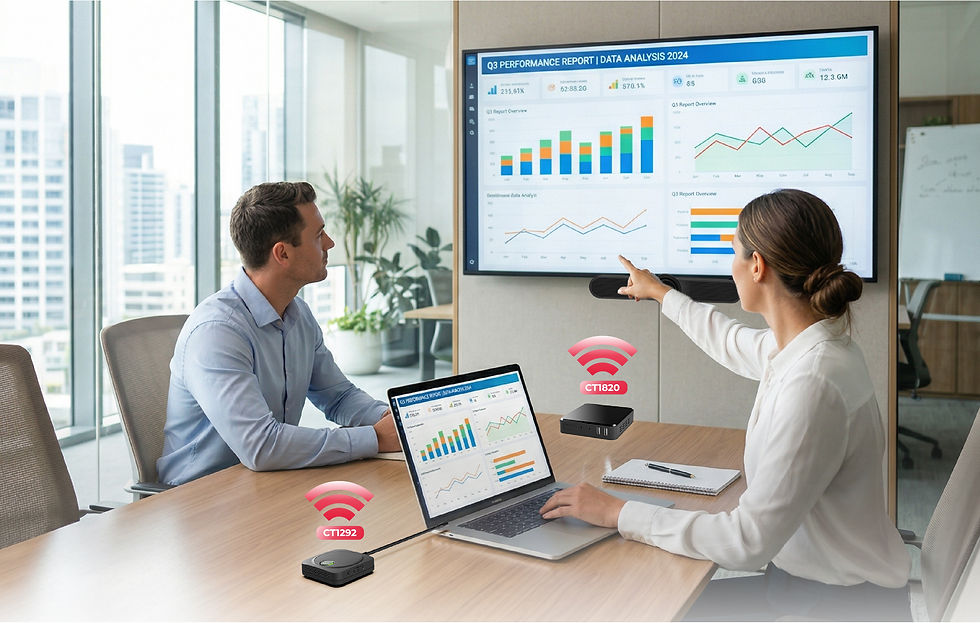
For your premium meeting spaces and executive boardrooms, collaboration needs to be completely seamless. You need to host high-fidelity hybrid video calls (Zoom, Microsoft Teams, Google Meet) where remote participants can clearly see and hear everyone in the physical room, while accommodating up to dozens of users in the room.
The Setup: SynCast 4K WPS CT1820 + 4K TypeC Transmitter CT1292
This combination introduces Smart BYOM (Bring Your Own Meeting), transforming your laptop into the control center for the entire room—completely wirelessly.
Wireless Peripheral Access: When you plug the CT1292 (USB-C Tx) into your laptop, it wirelessly routes the room’s high-end USB camera, microphone, and soundbar (connected to the CT1820 ) back to your laptop. You run the meeting on your own computer, but use the room’s premium hardware.
High-Capacity Connectivity: Built for larger groups, the CT1820 supports native AirPlay and Miracast for up to 64 standby connections, making it easy for anyone in the room to hop onto the screen.
Interactive Controls & Split Screen: The setup supports multi-user switching, allowing up to 4 presenters to share the display at once on a split screen. It also features USB Touchback, meaning if you have an interactive touchscreen display on the wall, you can control your laptop’s slides directly by touching the TV screen.
A Simple 4-Step Plan to Upgrade Your Rooms
Expanding your AV setup doesn't have to be a massive construction project. You can upgrade your office step-by-step:
1. Understand Your Team's Daily Routines:
Match technology to real human habits.
Every team is different. Before changing any gear, look at how your people naturally gather—the most successful setups start by simply supporting your team's existing habits.
2. Start Where the Need is Greatest:
Focus on one room, and build from there.
You don’t have to transform the entire office overnight. Perhaps your huddle spaces just need the single-cable simplicity of a CT1300/1302 to get ideas flowing, or your training rooms could use the smooth broadcasting of the CT1278.
3. Create Seamless Hybrid Connections:
Bring remote colleagues right to the table.
For spaces where big decisions happen, consider making meetings truly inclusive. Introducing a smart hub like the CT1820 lets your team walk in, open their laptops, and instantly connect to the room's premium camera and sound without any setup stress.
4. Grow Naturally on Your Own Terms:
Invest only in what you actually use.
The beauty of a modular system is that it bends to your future. You can start with a single base station today, and simply add extra wireless transmitter buttons or broadcasting nodes as your team expands, keeping your workspace clutter-free. 📥 Download Product Resources
Get a complete overview of the technical layout, performance metrics, and application scenarios directly on your device.